For server owners
Server owner notifications: free boost, new comments and sponsorship
Get notified when your free boost is ready again, when players comment on your server and a day before your sponsorship ends. How to turn My servers notifications on or off and pick a channel.
Last updated: November 23, 2026
If you own a server on SRO.GG, the Reminders page shows an extra My servers group. These notifications tell you about moments you should not miss for your listing. The group appears once at least one server is registered to your account.
1. Find the My servers group
Open Reminders from the bell icon in the top menu or the Reminders row in the User Panel. The My servers group is at the bottom of the page.
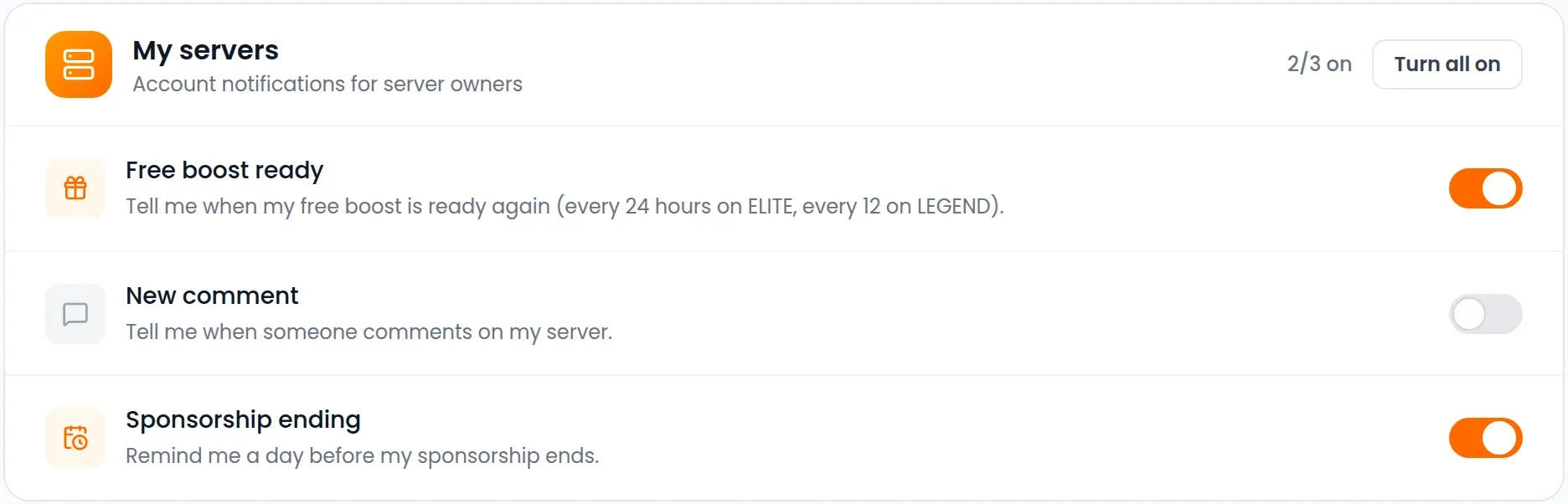
2. The three notifications and when they arrive
Notification | When it arrives | Default |
|---|---|---|
Free boost ready | When your free boost is available again: every 24 hours on ELITE servers and every 12 hours on LEGEND servers. | On |
New comment | When other players comment on your server. Comments are bundled into an hourly summary rather than sent one by one. Your own comments and posts made as your server are not counted. | Off |
Sponsorship ending | One day before your Sponsored Servers placement ends. | On |
Use the switch beside a notification to turn it on or off. Turn all on switches on all three at once.
3. Making the most of them
Free boost ready: When it arrives, use the boost button in your server list. Using the free boost right away keeps your server near the top of the list more often. See Using Boost to move your server up the list.
New comment: Useful for answering player questions quickly. For replying and pinning comments, read Posting as your server and managing comments.
Sponsorship ending: If you want to extend the placement, contact the SRO.GG team in time. See How to appear in Sponsored Servers.
4. Pick a channel or turn them off
Server owner notifications use the channels you picked at the top of the page: email, push or both. Push needs notification permission in the browser you use. We explain the channel settings in Notifications and reminders.
The link at the bottom of each notification email turns off only that topic. Service emails, such as listing review results and account emails, are not affected and keep arriving.