For server owners
Preparing English and Turkish server descriptions
Use EN/TR fields correctly and prepare names, summaries and descriptions in both languages. Understand copying, language warnings and fallback content.
Last updated: November 12, 2026
SRO.GG stores English and Turkish content in separate fields. The language you use to browse the site is not necessarily the language field you are editing. Preparing both versions helps players understand your server in their own language.
ExampleSRO and the sample values in the images are for illustration; use your own server’s information.
Edit the listing from My Servers. The same language fields are available in Add Server when creating a new listing.
1. Use the EN/TR buttons for the name and summary
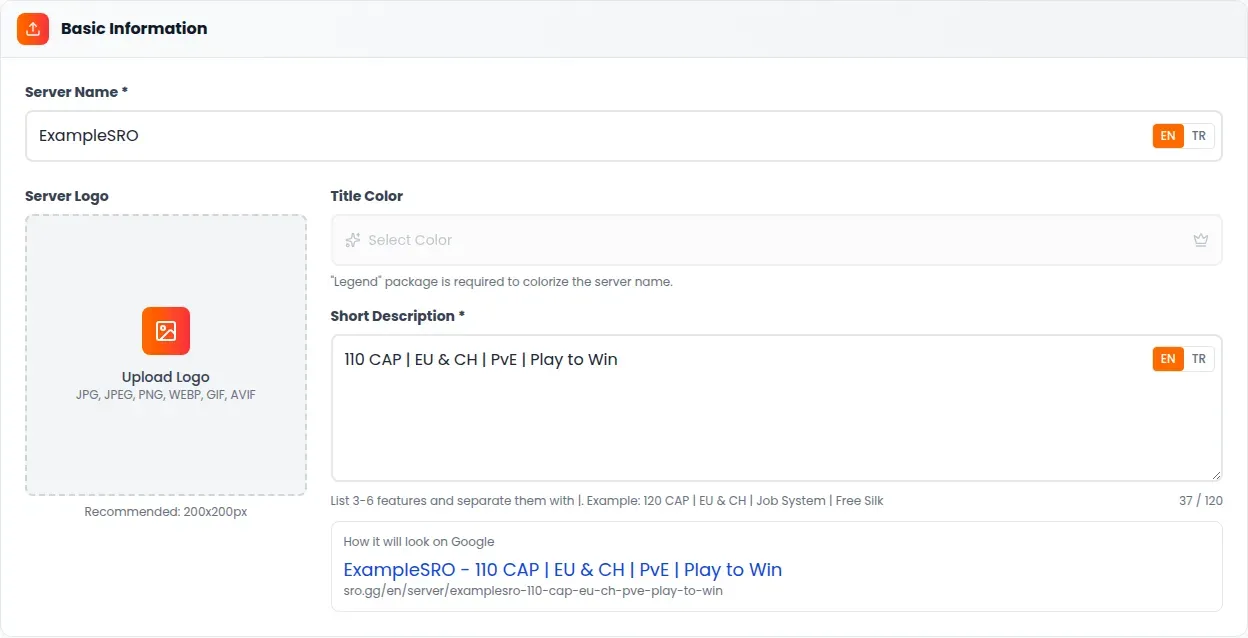
Server Name and Short Description each have their own EN/TR buttons. Fill in both EN fields first; they are required. The name can have up to 24 characters and the short description up to 120.
Then select the relevant TR button and add the Turkish version. Keep the server’s proper name if appropriate, and translate its features. For example, explain “Play to Win” in wording that makes sense to Turkish players. Translation must not change the cap, rates or limits.
2. Choose the detailed description’s language separately
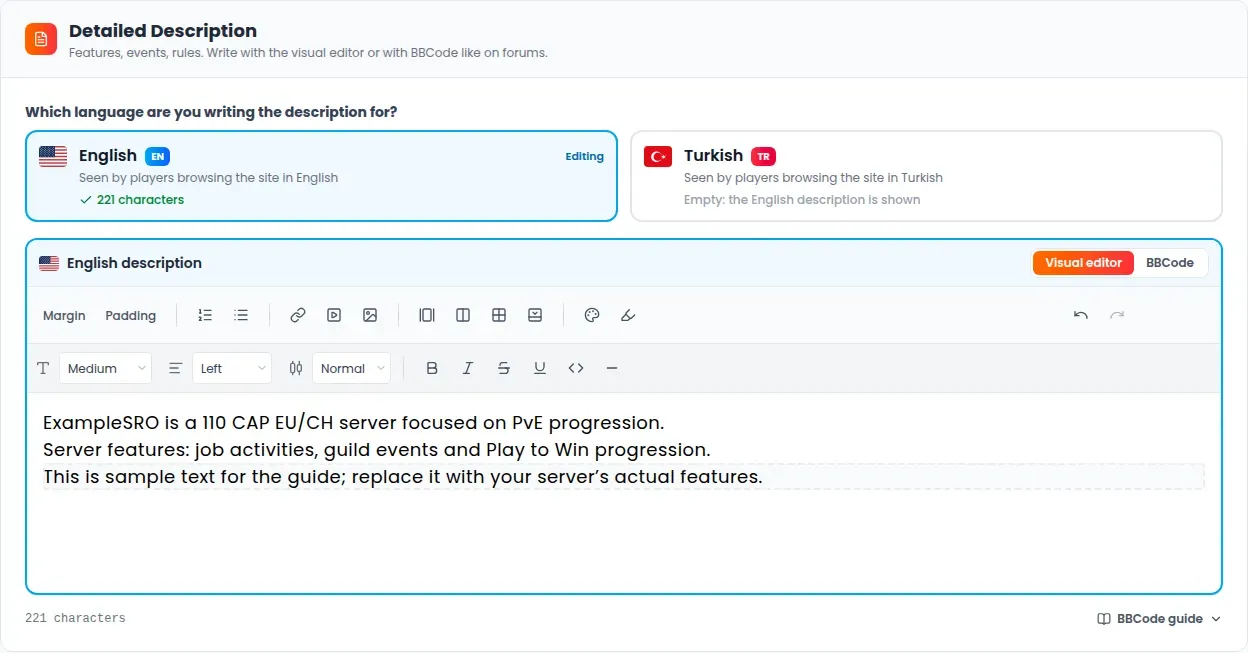
Detailed Description has large English and Turkish language cards. The active card shows Editing. Write English content while the English card is selected and Turkish content in the Turkish card.
The cards show whether a version is empty and its text character count. When one language is empty, visitors using that language see the available description. That is a fallback, not a translation: if only Turkish content exists, an English visitor may still see Turkish text.
3. Copy the other version as a translation starting point
When one description is filled and the other is empty, the empty tab can show Copy the English text and translate it, or the equivalent button for copying Turkish text. The button copies the content; it does not translate it automatically.
Use the copy as a starting point, then translate headings, paragraphs, table labels and image ALT text into the selected language. If an image contains Turkish writing, explain it in the English text too. Prepare readable images for each audience where possible.
4. Use wrong-language warnings carefully
If the system thinks the text is in another language, it may show a warning. When you wrote in the wrong tab and the target is empty, use Move to the … tab. If the target already contains content, Swap the two languages exchanges the versions.
After moving or swapping, open both tabs and check their contents. If game terminology or server names triggered an incorrect warning, choose Correct language, keep it. The warning is not a complete language or spelling check.
5. Compare both versions and save
Check that the cap, races, rates, IP/PC limits, event conditions and links agree across languages. Do not describe the same reward differently in each version. Keep the form’s launch date and time as the reference, and compare any date written in the description against those fields.
Click Update Server for an existing listing. Description changes on active servers can wait for review. Once approved, open the server page in English and Turkish and check that each version appears in the intended language.