For server owners
How to appear in Sponsored Servers
Understand the Sponsored Servers area, prepare your listing and find out how to discuss placement dates and terms with the SRO.GG team.
Last updated: November 23, 2026
Sponsored Servers is the advertising area outlined in orange on the homepage. A placement introduces your server in a separate section alongside the normal list. This guide explains what to prepare before requesting a placement and what to check afterward.
1. Find the sponsored area

Find Sponsored Servers on the homepage. A server’s logo, cap, name and short description are among the first details players see. Clicking the name opens its SRO.GG detail page.
The area does not have to be present at all times: it is hidden when there are no sponsored servers to display. Its placements are managed separately from boost ordering in the normal list.
2. Prepare your server listing
First create your SRO.GG listing and check its application status on My Servers. If you have not added it yet, start with the server submission guide.
Review the logo, cap, short description, website and community links. Prepare the detailed introduction too, because players can open it from the sponsored row. Paying for visibility while showing outdated or inaccurate information makes it harder for visitors to understand your server.
Decide which launch period or promotional period you want to cover. Do not enter an unconfirmed launch date as a confirmed one merely to complete an advertising request.
3. Ask the SRO.GG team about terms
The server-owner panel does not currently offer a form where you choose sponsorship dates and buy a placement yourself. Its start and end dates are configured by the administration. Contact the team through the official SRO.GG Discord community to discuss a request.
Provide your server’s SRO.GG link, the start date you have in mind and the duration you want. Confirm availability for that period, placement terms and the total price. Do not assume a fixed rate or automatic acceptance: the current owner interface does not provide those details.
4. Check the dates and appearance
After a placement is arranged, check the agreed start and end times. If the start is still in the future, do not expect your server to appear immediately. During the active period, open the homepage and verify that the correct server appears and its name opens the right listing.
If your My Servers card shows sponsorship information, inspect the remaining days and end date. If the dates or appearance differ from what you expected, add the listing link and what you see to your existing conversation. Discuss the terms of a new period when requesting a renewal.
The Sponsorship ending notification is on by default and reminds you one day before your placement ends, so you can contact the SRO.GG team in time to extend it. For details, see the Server owner notifications guide.
5. Distinguish packages, boosts and sponsorship
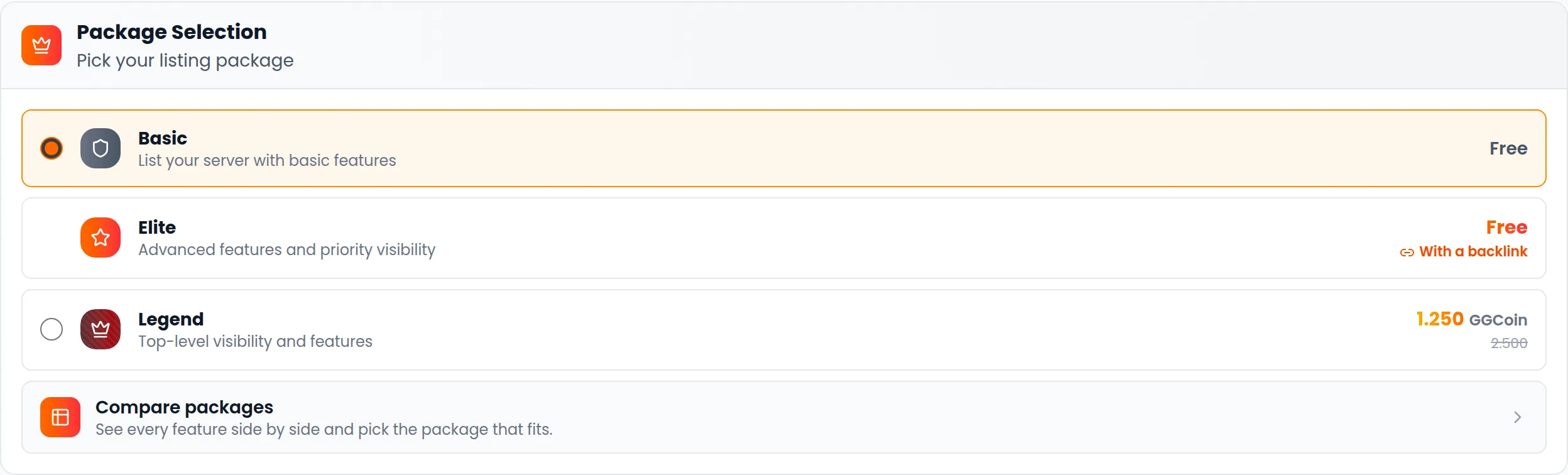
Having the Elite or Legend package does not automatically reserve space in Sponsored Servers. Boost affects ordering in the normal list, while sponsorship is a labelled advertising placement. Evaluate these options separately for your needs.
Sponsorship does not change the reported player count or launch status, and it does not guarantee that players will join. Continue representing your server with working links, a clear description and current information throughout the advertising period.