
Getting started
How to follow the PvP Arena: draw, duels and voting
In the SRO.GG PvP Arena, the Silkroad servers opening that week face off in a knockout bracket. The draw, match times, picking a side in a duel, scoring and the Remind me button.
Last updated: November 23, 2026
The PvP Arena is a weekly tournament between the SRO.GG listings of Silkroad private servers opening that week. It is not an in-game PvP match: servers earn points from the interest their pages get during match hours. This guide explains how to follow the Arena as a player. If you own a server, read the PvP Arena guide for server owners.
1. The weekly schedule
Draw: Held on Monday at 00:00. Active servers opening that week that have a logo take part, up to 16 servers.
Matches: Played between 20:00 and 00:00 on round days. A round can have more than one duel.
Final: Always on Thursday evening. Most servers open on Friday, so the champion is known before launch.
Times are Turkey time (UTC+3). If fewer than 4 servers open that week, there is no tournament.
2. Check the pairings and the bracket
The Weekly tournament box on the Arena page has three tabs:
Matches: Duels by round, with dates and the time left until they start.
Bracket: Who plays whom and who has moved up a round.
Participating servers: Every server taking part that week. Click a name to open its server page.
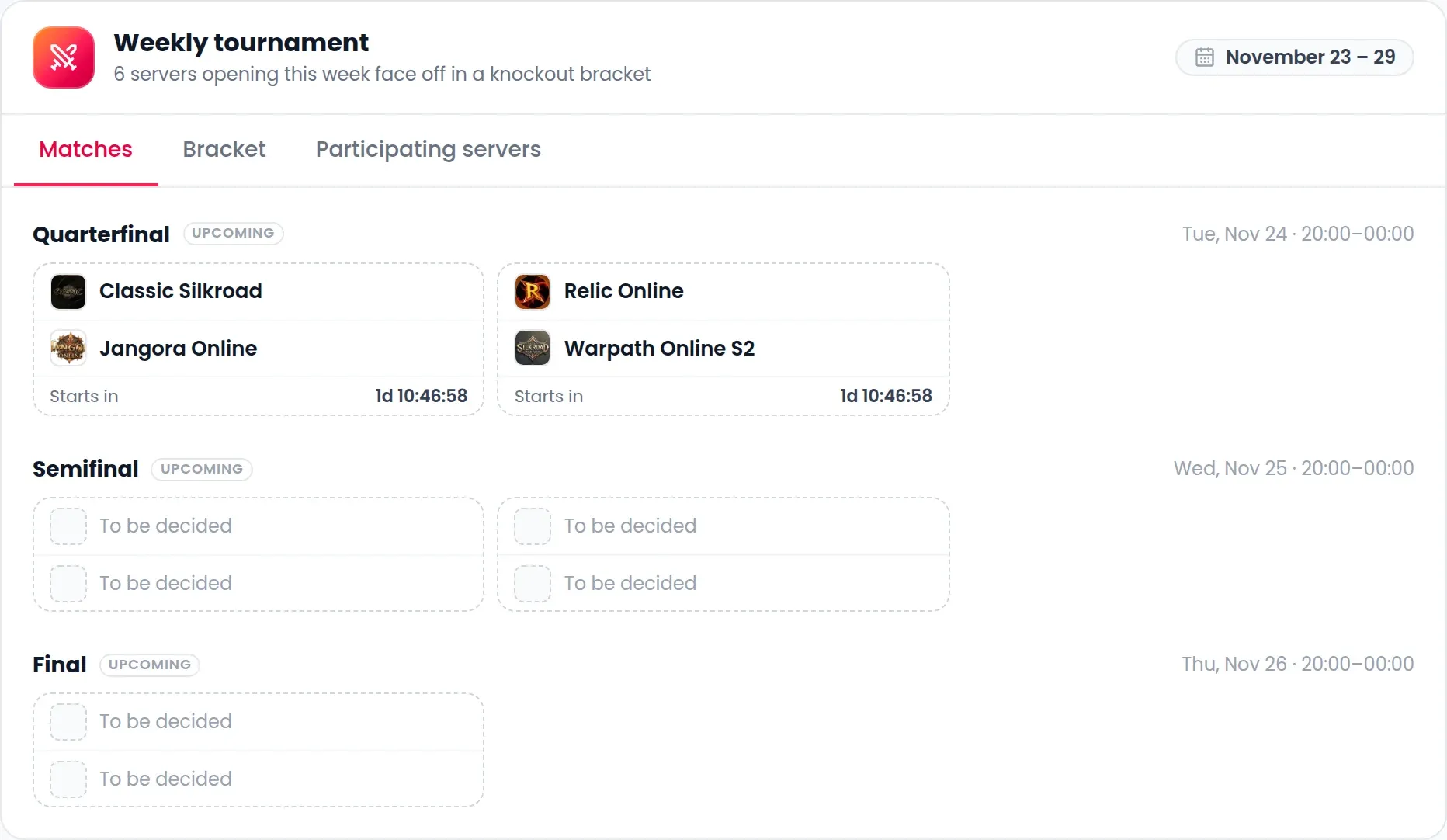
Pairings that are not decided yet show To be decided until the previous round ends. The Past tournaments section at the bottom of the page lists earlier champions.
3. Pick a side on the duel page
Click a pairing to open its duel page. Before the match starts, it shows a countdown and a green Remind me button.
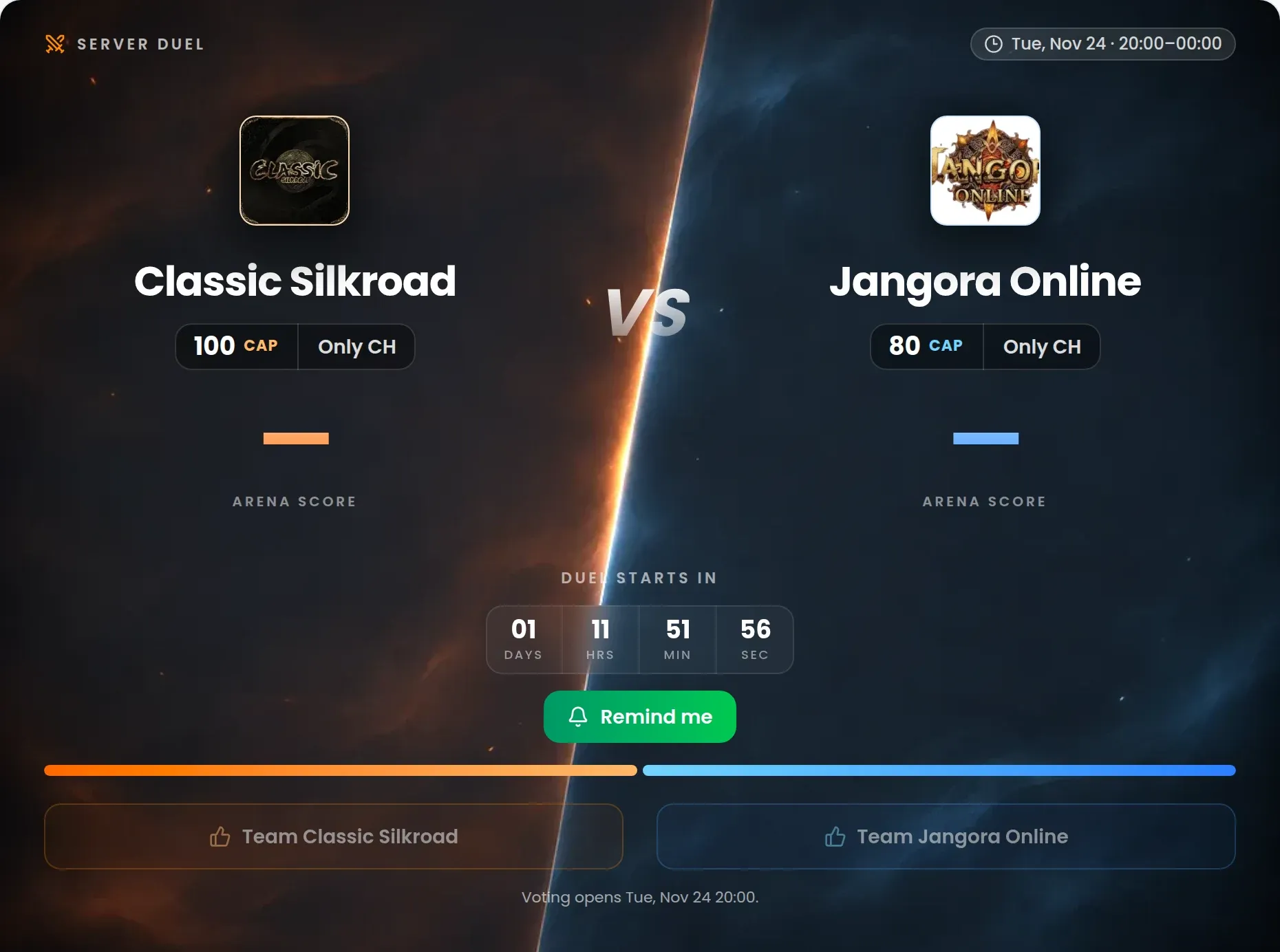
Voting opens when the match starts and closes at 00:00.
Press the team button of the side you want to back. You need to be signed in.
You can back only one side per duel. While the match is live you can switch sides or withdraw your support.
4. How the score works
The Arena score is not just votes. These measures, taken during the match (20:00–00:00), are combined:
Measure | What it counts |
|---|---|
Views | How often the server page was opened; bots are excluded. |
Player support | Sides picked on the duel page. |
Comments | Comments and replies posted on the server during the match. |
Trend | The change in views compared with the same hours a day earlier. |
Hype | How many players are viewing the page at the same time. |
Boosts | Boosts made during the match. |
Ad investment | Elite and Legend packages and sponsored placements. |
Comments only count during match hours. Commenting on a server while its match is live is one of the most effective ways to back it; see Commenting, replying and liking. The full weights are on the data methodology page.
An Arena title reflects player interest; it does not guarantee a server's quality, player count or reliability.
5. Don't miss a match
The Remind me button on a duel page alerts you once when that match starts.
The PvP Arena group on the Reminders page has Draw is out, Matches started, Final started and Champion decided. Draw is out is on by default.
For details, see Notifications and reminders.